Installation
Forest Line Mapper is developed using Arcpy and other Python libraries. To use FLM, you need to install the proper Python environment first.
Note
From 1.2, Forest Line Mapper no longer supports ArcMap. Only ArcGIS Pro is supported. ArcGIS Pro 2.7, 2.8 are tested.
ArcGIS Pro Python
ArcGIS Pro use Anaconda to mange the Python bindings. Default Anaconda is protected, so c clone of default Anaconda should be made by ArcGIS Pro to install third party libraries. For FLM, Shapely is needed. Please follow the steps to install all the necessary parts.
Clone ArcGIS Python
First, go to ArcGIS Pro Settings:

Click Python to get Python Package Manager:

Python Package Manager provides environment management and Python pacage management. Click Manage Environments to clone Anaconda.

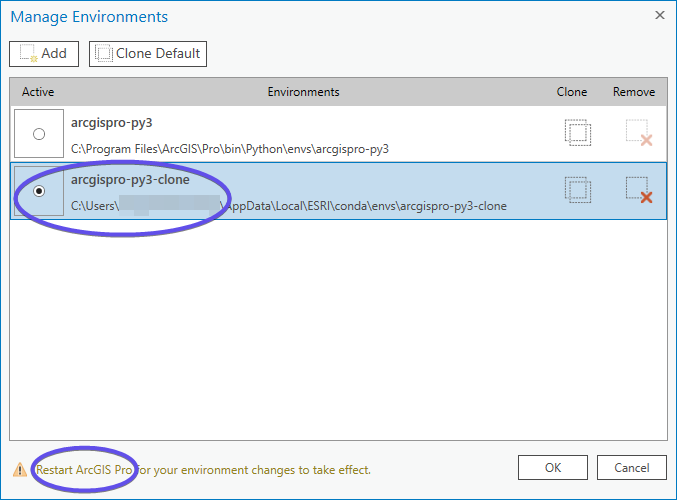
Click Clone Default, a new arcgispro-py3 clone will be created.

After a while the clone proces is done and a new environment called arcgispro-py3-clone will show up. Click the new environment to make it the default one. If you have ever create clones or add external Python environments, you’ll see more options here.
Install Shapely
Once setup the proper Anaconda envrionment, we go to add package Shapely
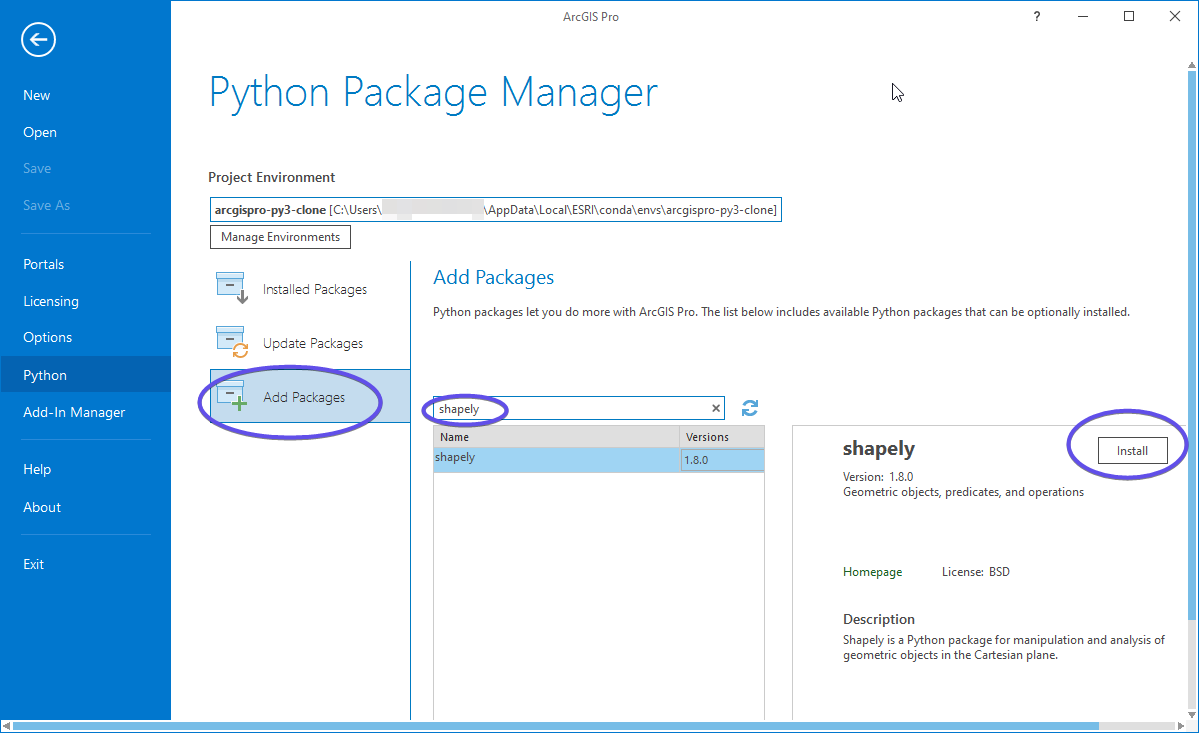
Make sure the correct environment is activated. Click Add Packages. Search Shapely, and install it.
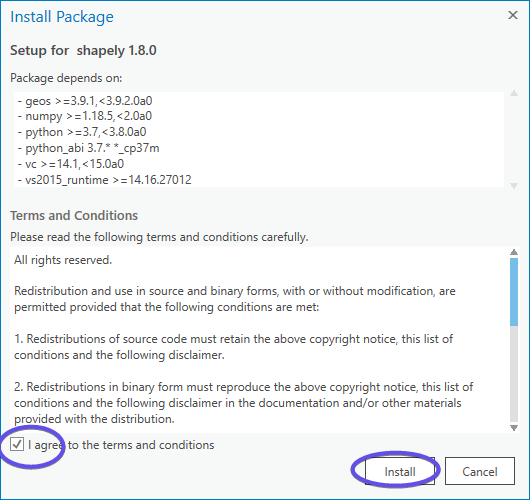
After installation, you might need to restart ArcGIS Pro to make the change take effect.
Run Forest Line Mapper
Forest Line Mapper can be launched by ForestLineMapper.bat in FLM root folder. Before launch FLM, open ForestLineMapper.bat in text editor to check the configuration is correct.
@echo off
set scriptName=ForestLineMapper.py
set pro=%PROGRAMFILES%\ArcGIS\Pro\bin\Python\Scripts\propy
If your ArcGIS Pro is istalled in another directory, do change the third line for the path. Now save the batch file and double click it, FLM will launch.
ArcGIS Pro Upgrades
Warning
When ArcGIS Pro upgrades to new version, you probably receive error when start FLM stating “version mismatch”. In that case, the cloned environment is not updated accordingly. Please remove the cloned environment and repeat the installation process.
Error might show up related to numpy:
RuntimeError: module compiled against API version 0xe but this version of numpy is 0xd
Go to ESRI Python Command Prompt and run
pip3 install --upgrade numpy